Free Fire Account Verification: Get Code & Verify FF ID Instantly OB51
Are you trying to verify your Free Fire account through the binding process but not able to get the verification code on your email? Then, don’t worry – today we are sharing a full step-by-step guide so that you can understand the full process and easily verify your FF ID.
So, stay connected with us and don’t miss any steps throughout the whole article. Otherwise, you can face problems with Free Fire Account Verification. Let’s get started now.
What is Free Fire Account Verification?
Free Fire Account Verification is a pro process where players will get a chance to bind their FF ID with another alternate email after getting the verification code to keep the account always safe. Users can bind easily, and if they want to change the bind email, then they can do it after tapping on the “Cancel” button.
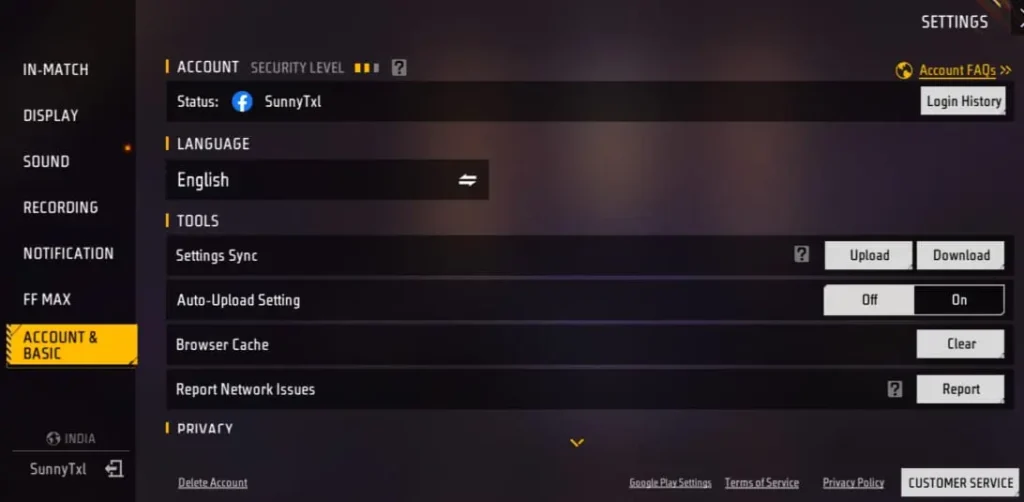
But, those players are eligible for this process who have created their Garena Free Fire battle royale game account using Gmail, and others will not get it if they have created an account using Facebook, VK, and other methods. Also, you can see below image.
Why You Should Verify Your FF Account in OB51
As we know, Garena Free Fire is one of the most popular battle royale games in the world, and it has a massive amount of active players globally who love to collect rare bundles, emotes, max-level evo guns, and more premium items after spending lots of diamonds from their account. After doing all of this, if your account gets lost, then how will you feel? It will be so disappointing, right?
That’s why Garena Free Fire came with the Free Fire Account Verification process where players can use one alternate email to bind with their FF ID after using one 8-digit code on email. This will keep your account always safe if you are sharing it with your friends. Also, you will see “Login History” with mobile device names and last login date & time so that players will always stay updated.
Also, you can “Log out all devices” in one click from your account. That’s why the Free Fire Verification process is more important if you have updated the game to the latest new OB51 updates.
Also Try: Free Fire Proxy Server Download VIP APK For Android (Official)
Step-by-step Guide To Get Code and Verify Free Fire Account Instantly
The Free Fire Account Verification process is so simple. You can complete it by following the below step-by-step guide now:
- Login to your Free Fire ID through your registered Gmail account.
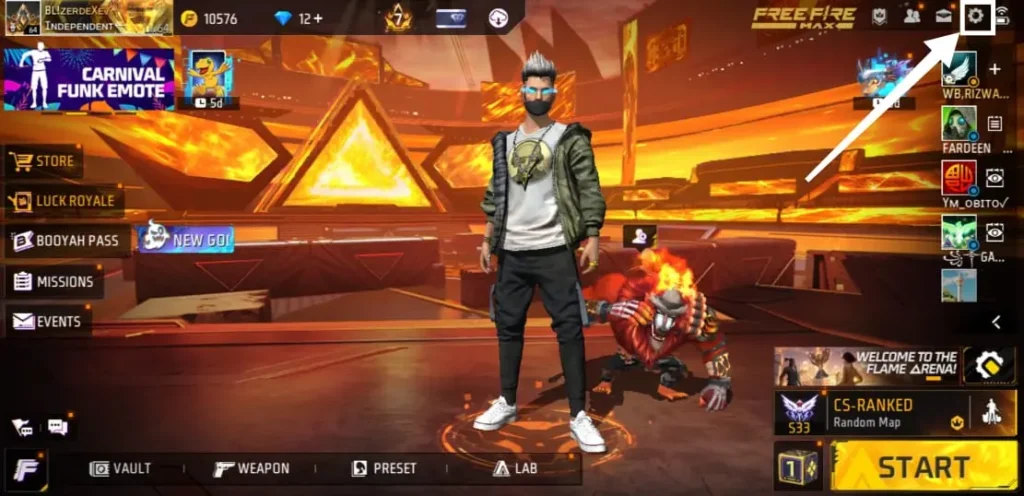
- Once you access the lobby, you have to click on the “Settings” icon that is available in the top right-side corner.
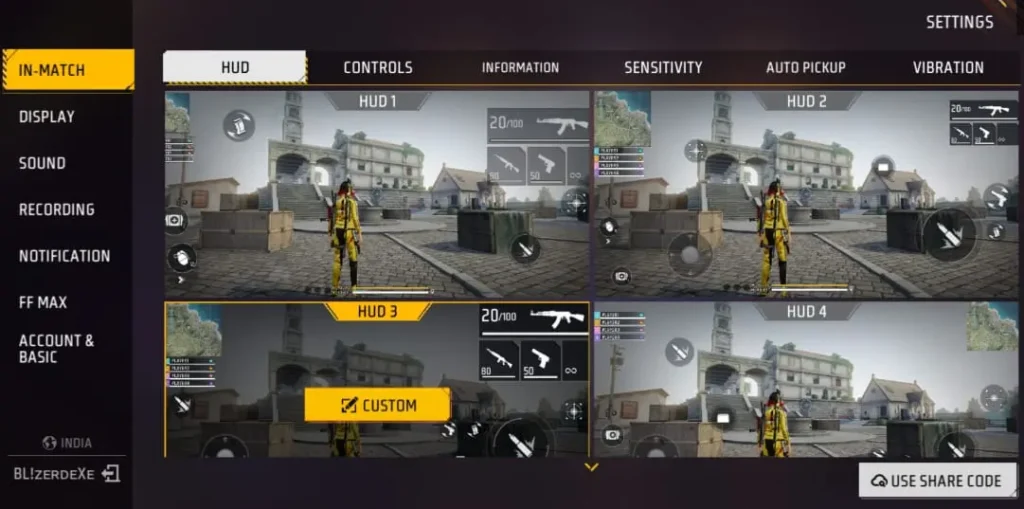
- Now, you will access the “Account & Basic” section. If not accessed directly, simply click on it.
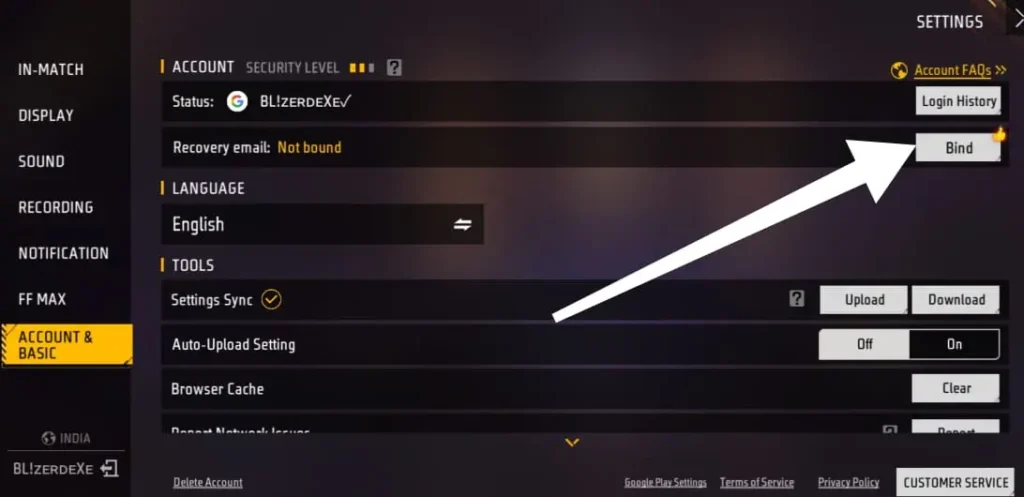
- In the Account & Basic section, you will see the “Bind” option just below Login History, and also you can see it in the below image. So tap on that.
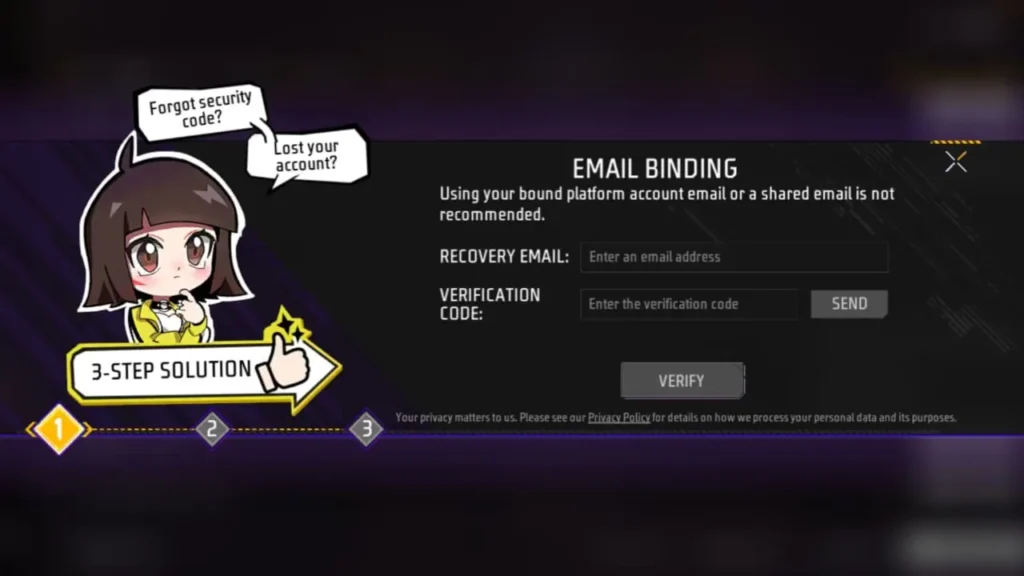
- After that, a pop-up will appear named “Email Binding” in which you have to add an email as per your choice in the “Recovery E-mail” box and tap on the “Send” button to get the 8-digit code.
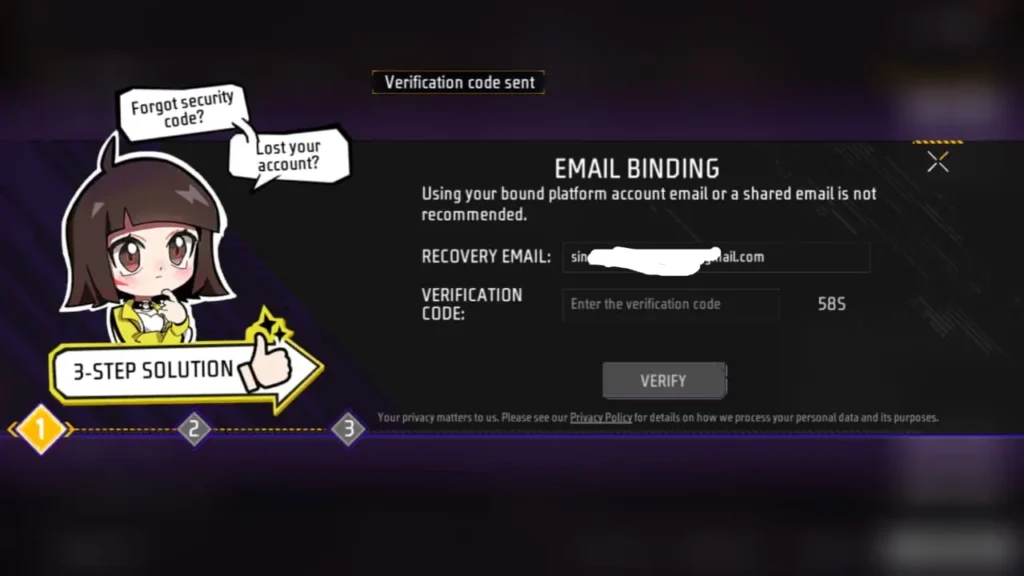
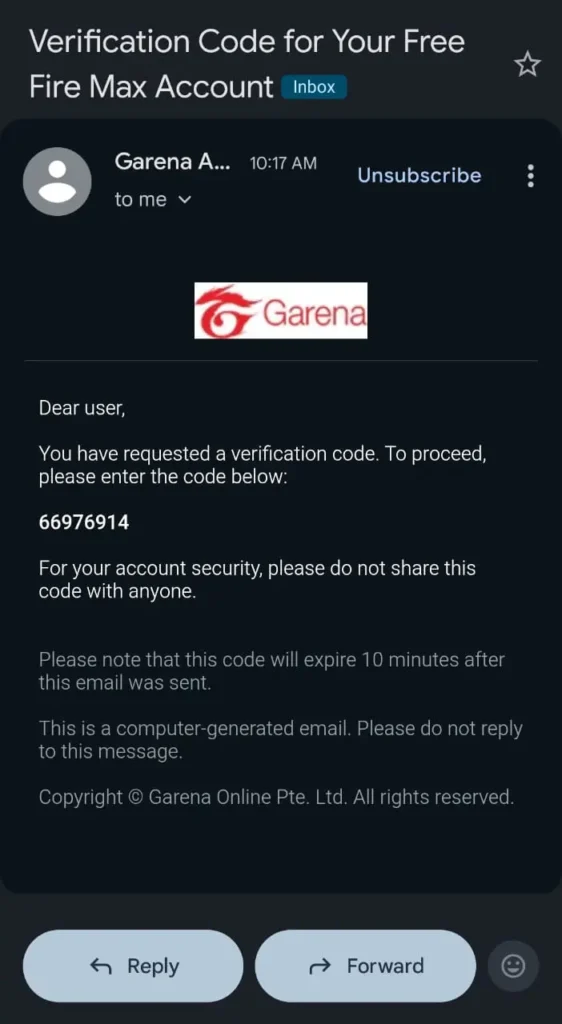
- You will get the verification code on your email. So, copy that and paste it into the “Verification Code” box.
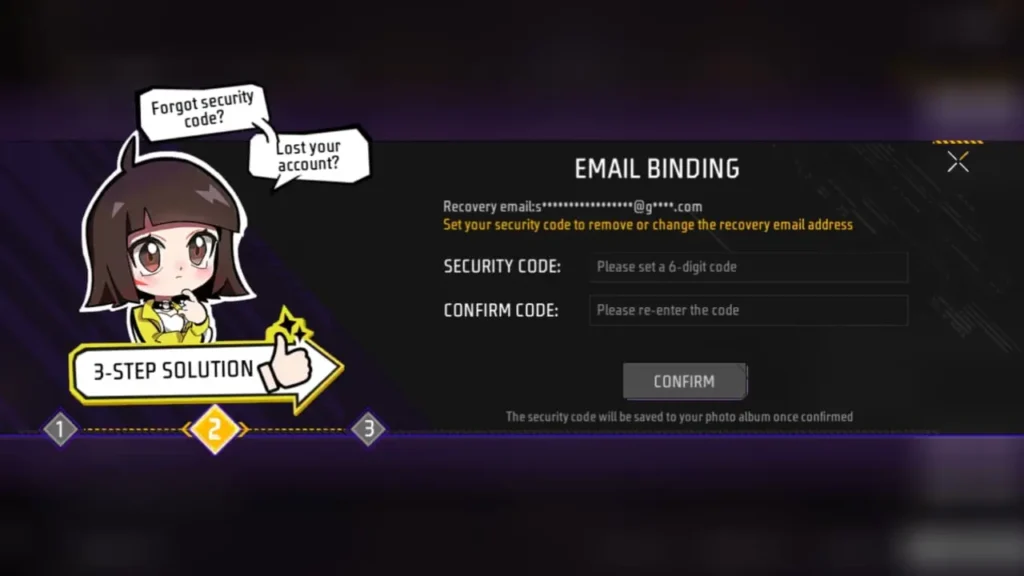
- A new window will open where you have to set a 6-digit security code as per your choice.
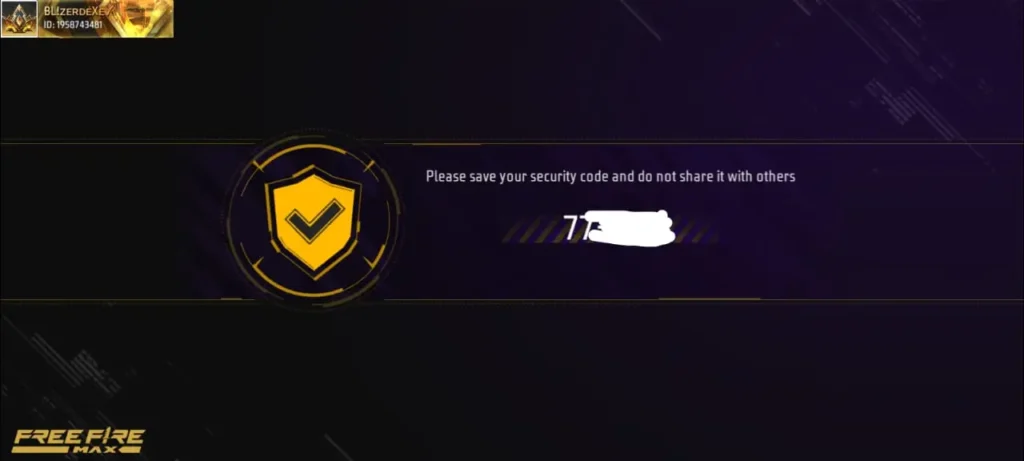
- After completing the security code step, you have to save that code by taking a screenshot or by tapping on the left bottom corner “Download” button.
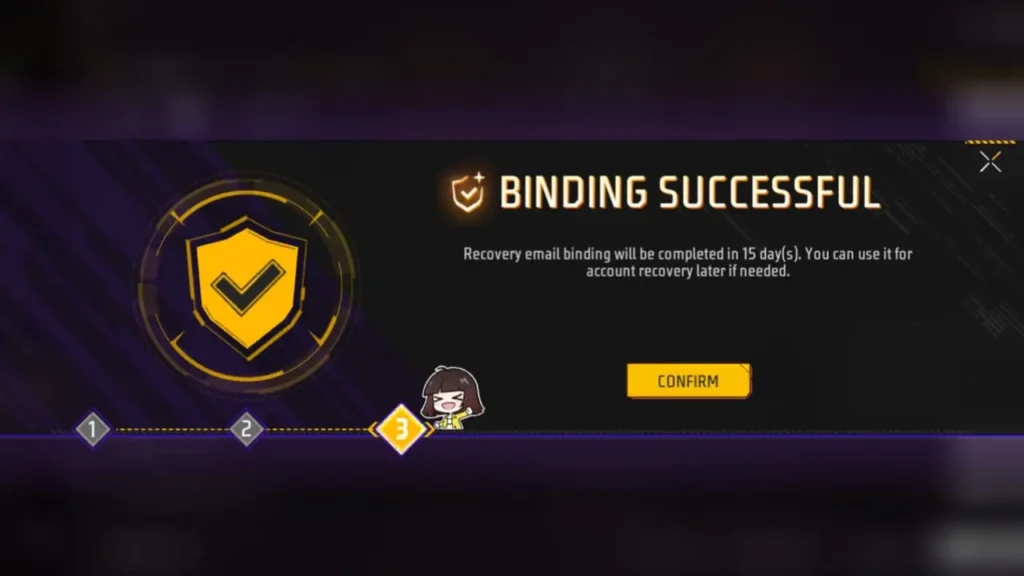
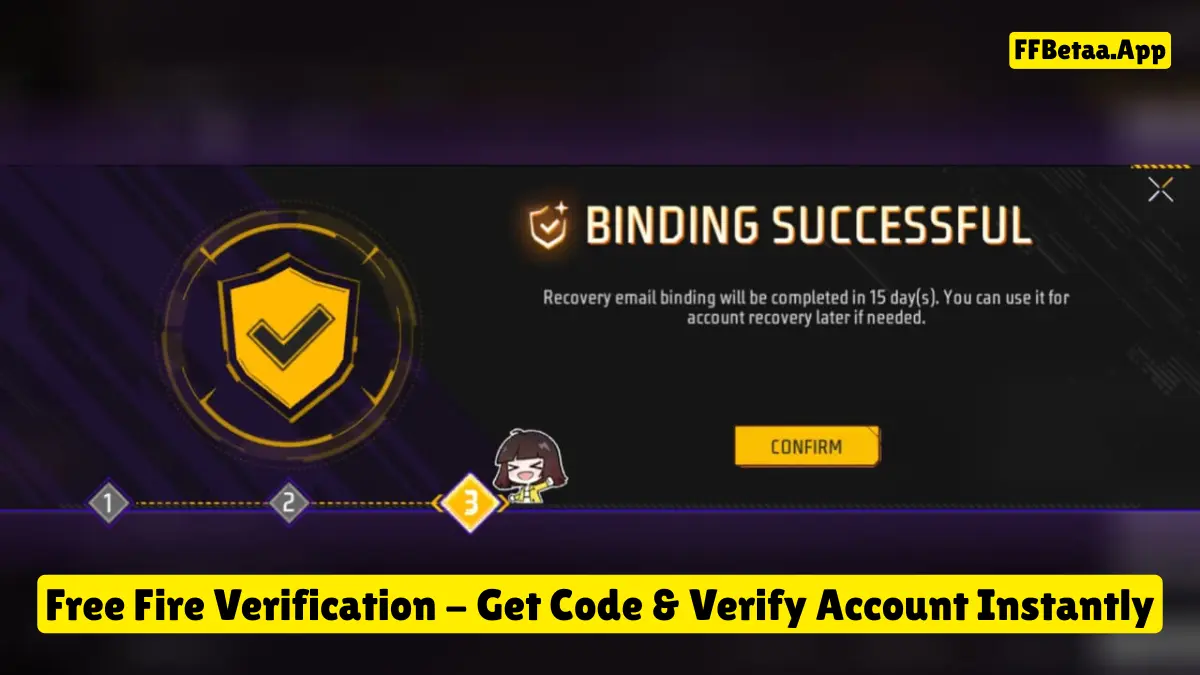
- Once completed, you will finally see the “Bind successful” notification, which means that you have completed all steps successfully.
So, the whole process for Free Fire Account Verification is so simple. But, if you are still facing any issues, then let us know in the comment section below. We are always ready to help you.
Also Try:
Unveiling Tips To Fix Free Fire Verification Code Not Received Problem
The Free Fire Bind Account Verification is so easy, and it is completed successfully by many players. But, some players are facing issues like the code not received problem while they are trying to complete this process. So, don’t worry – you can easily fix this problem by following the below step-by-step guide:
By following the above 3 steps, you can easily fix the Free Fire verification code not received problem. After that, you can easily bind your FF ID to an alternate email.
Benefits of Verifying Your Free Fire ID
As we know, those players who are playing Garena Free Fire battle royale game, then the most valuable part for them is their FF ID because they are doing diamond top-ups and collecting more premium rare items in their account. But if it gets lost in any scenario, then it will be very disappointing for them.
That’s why Garena came with the Free Fire Verification process through which players can add one alternate email in their main account to keep it always safe.
Also Try: Dark Aura Panel APK Download 2.1 (Free Fire) Official
Conclusion
The Free Fire Verification process is newly introduced in this battle royale game through which all players get extra advantages to keep their account safe and secure. With the latest new OB51 updates, players can instantly receive the verification code on alternate email and confirm their identity within seconds. This process keeps your account secure, your in-game FF Diamonds and all rare collections safe, and also your whole progress.
That’s why every Free Fire player should complete this process as soon as possible. However, if you are facing any type of issues, then let us know in the comment section below. We will help you instantly.