How To Change Server In Free Fire Without Losing Your Account

Do you want to change server in the Free Fire game? But don’t know the actual process to do it? Then you are not alone. Many Free Fire players search for how to change server in Free Fire without losing account, because they want to play with players from other regions, check region-specific events, and improve their connections.
However, there is a lot of confusion available around this topic. Some websites recommend VPN, IP Changers, Leaderboard location, and third-party APKs “Server Changer“, respectively.
So, in this article, we are going to share the safest and fastest way to change the server in Garena Free Fire. Also, we will tell you how Free Fire servers work, whether you can actually change your server, and more. So stay connected with us and enjoy the article to change your Free Fire server.
Can You Change Server In Free Fire Without Losing Account?
The actual answer is not directly in every case.
Garena Free Fire works on different servers for players from different regions to divide the server load and offer smooth gameplay for players. That is why there is no universal server change button available in the game through which players can go to other regions. This is why many so-called server-changing tricks don’t work as expected.
Then, can’t we change Free Fire server?
So, we want to say that don’t worry because there is a safest and fastest method available through which you can change server in Free Fire easily. That method is using a VPN (Virtual Private Network) app.
So, to know all of the step-by-step guide to change Free Fire server, follow the instructions given below.
Also Read: How To Become Pro In Free Fire: Full Guide To Improve Your Skills
How To Change Server In Free Fire Safely
If you are a Garena Free Fire player and want to change server to access other regions’ events, play with new players, and enjoy gameplay, then don’t simply move to the changing steps, because you can lose your old Free Fire account data.
That is why follow the below safe guide to change server in Free Fire in 2026 easily:
Step 1: Link Your Free Fire Account
Before making any new changes, make sure that your Free Fire account is linked to a valid login method like Gmail, Facebook, X, VK, or others.
However, if you are using a Guest account to play the Garena Free Fire game, then it becomes the first priority to bind your account first. After that, move to the next step; otherwise, you can lose your account also.
Guide To Bind Free Fire UID
Using the above method, you can safely bind your Free Fire account to keep it safe always.
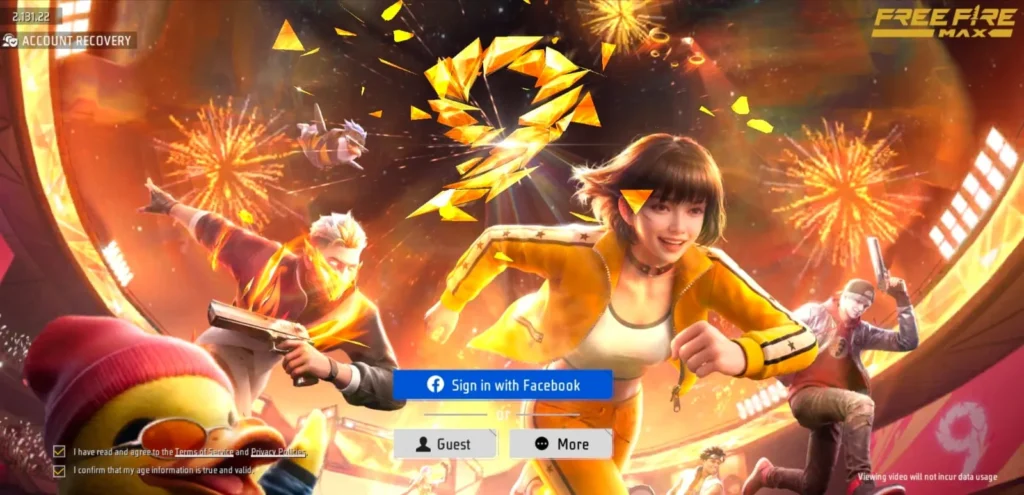
- Open your Free Fire or Free Fire Max game and log in using your preferred method.
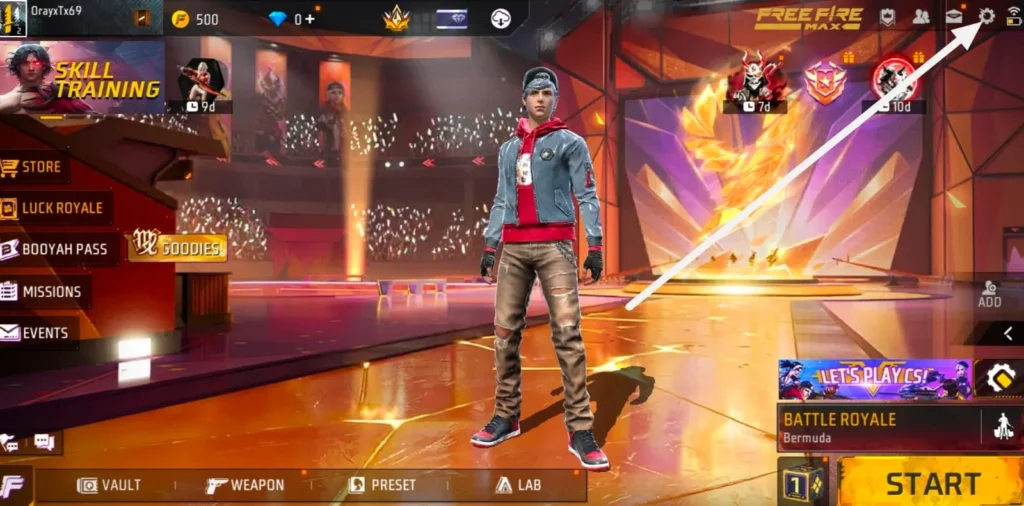
- Once you access the game lobby, you have to click on the “Settings” option as shown in the image below.
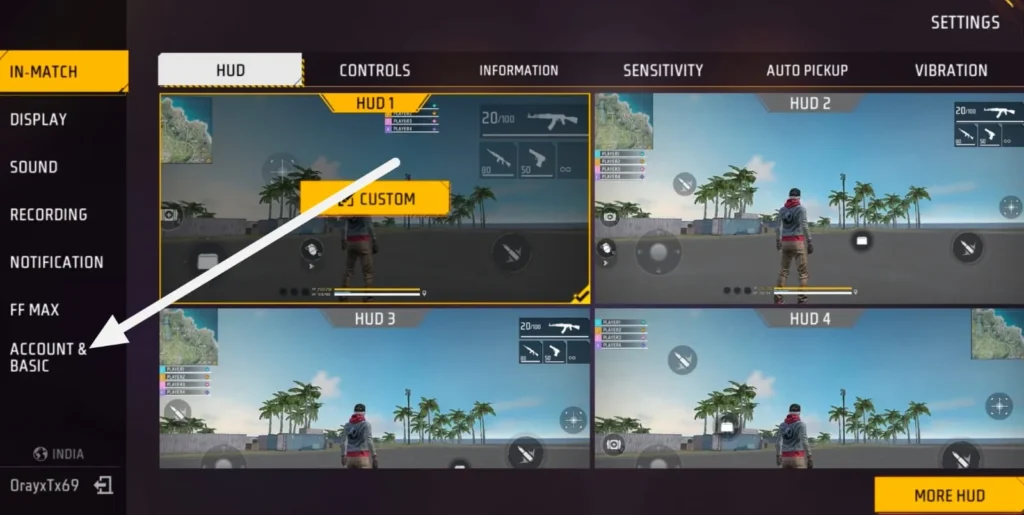
- In the Settings section, you have to choose the “Accounts & Basic” option.
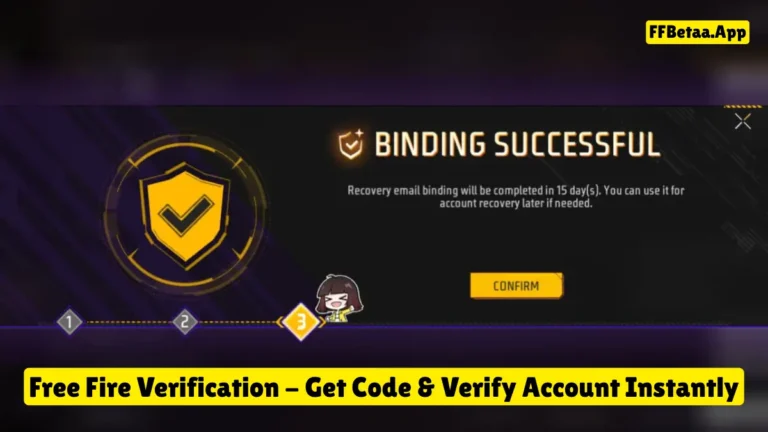
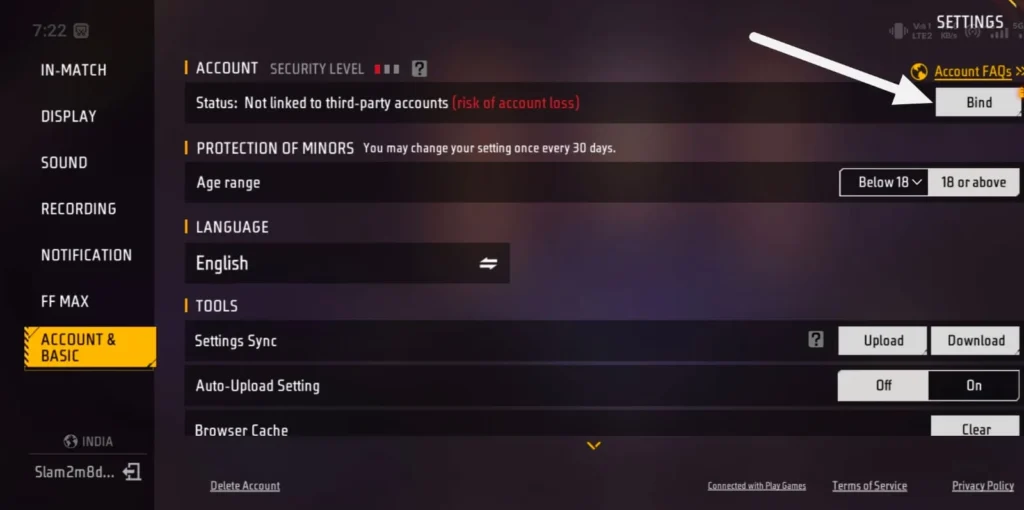
- After that, you will see the “Bind” option under the Account option. Simply click on that.
- A popup will appear where you will get different options to bind, like Google, X, and Facebook, respectively. So, choose one as per your choice.
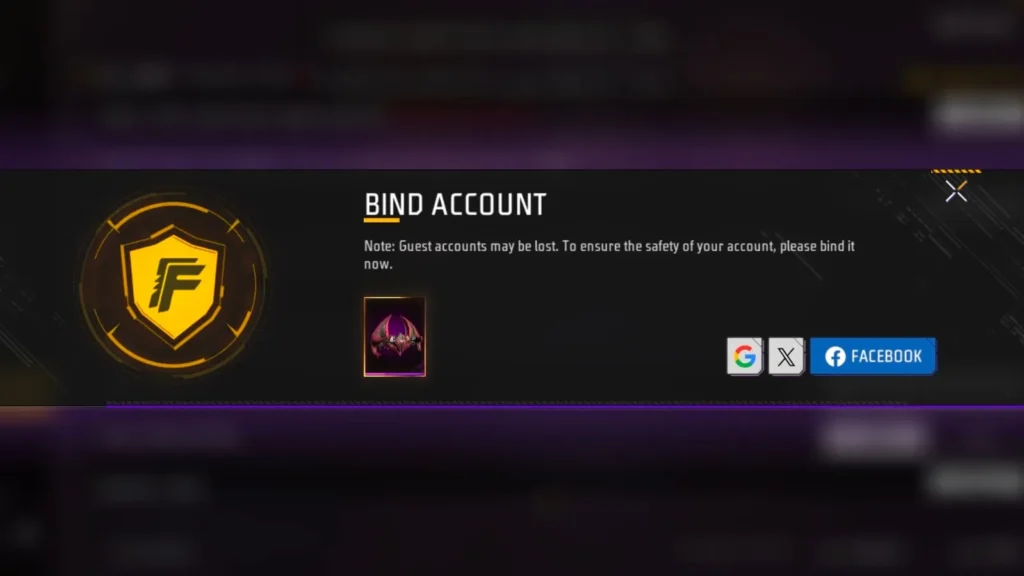
- If you have chosen Gmail, then after clicking on that, all logged-in Gmail accounts will open. Choose one from them, and it will be bound to your account successfully.
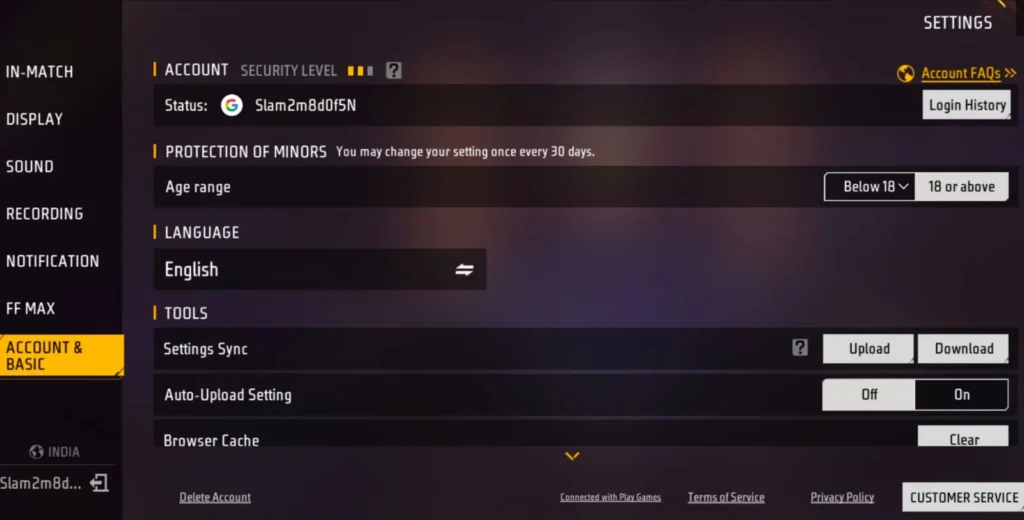
NOTE: This option is only available for Free Fire players who have created their account using Guest, Facebook, X, or other methods. Those who have created an account using Gmail will not get this option.
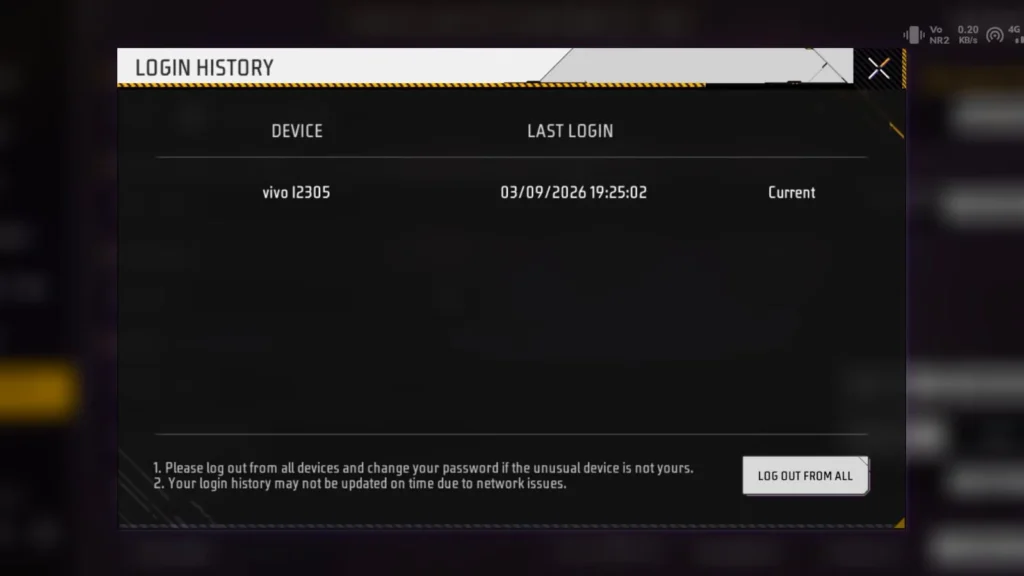
Once you bind your Garena Free Fire or Free Fire Max game account, you will see “Login History” at the same place. You can use this to check where your account was logged in last time and when.
Step 2: Save Your UID
If you haven’t remembered your Free Fire or Free Fire Max UID, then don’t worry, because you can simply save it by copying the full UID from your game profile section. However, don’t forget to take screenshots for safety purposes, because if you lose your UID, then the screenshot will help you to remind you easily.
Also, one screenshot will keep the following data saved for future use:
- UID
- Nickname
- Account level
- Current profile
This can help you identify the correct account if something goes wrong later.
Step 3: Remember Your Original Login
This is the most important step where most players make mistakes. They bind their Free Fire accounts and set a 6-digit password, then forget it after a few days. In this case, you can face problems because you won’t be able to log in to your Free Fire account.
That is why we always recommend you to save your login credentials like Gmail, G-mail Password, Bind data & its 6-digit pass, and save it in Notepad and also in your favourite book to easily get it whenever you want.
If you have completed this step successfully, then you are now ready to move to the next step to know how to change server in Free Fire without losing your account.
Step 4: Use VPN & Create New Account
To change server in Free Fire, you need a good VPN like ProtonVPN to safely change it because without having a VPN, you can’t do this process.
So, first of all, download ProtonVPN from the Google Play Store for Android mobile and the App Store for iOS users, and activate it.
For example: if you want to change to a North America server or any other, then set the VPN location according to that.
After that, follow the step-by-step guide below:
- After activating ProtonVPN, open your Garena Free Fire game.

- Choose a Gmail account (use a fresh new Gmail account) to log in to create a new account. After that, Set Game profile name as per your choice.
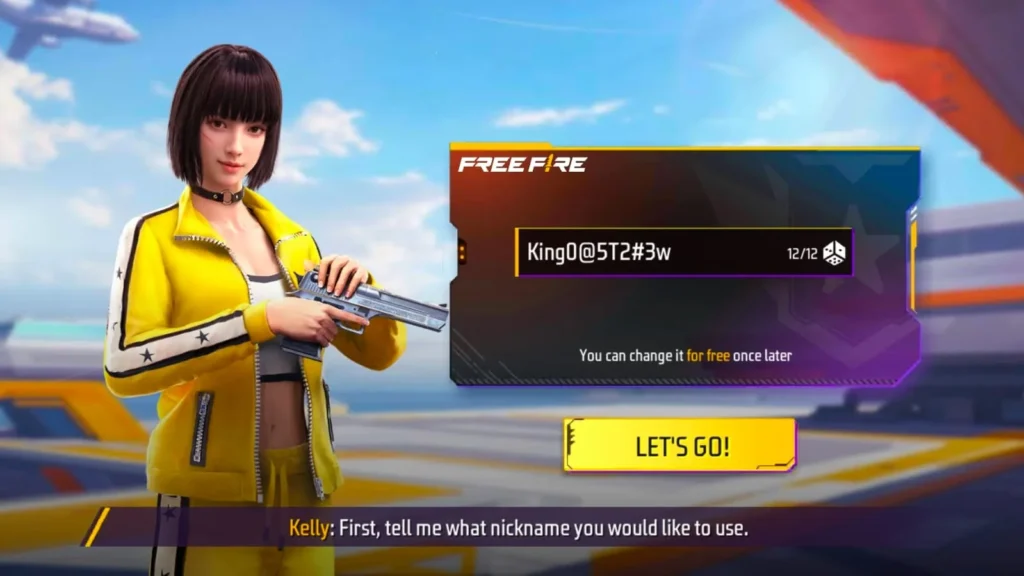
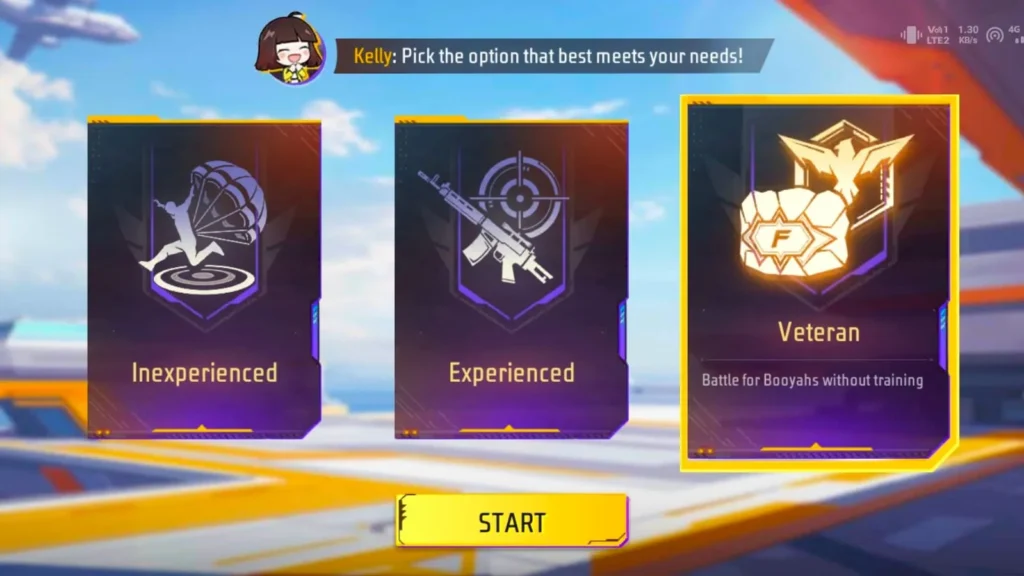
- After completing basic details, your account will be created, and after that, you have to choose Free Fire Profile Nickname as per your choices and select “Veteran” option.
- After that, you will access the Lobby of the Game.
Once you access the Lobby of the game, it means that you have successfully changed the server in Free Fire without losing your account.
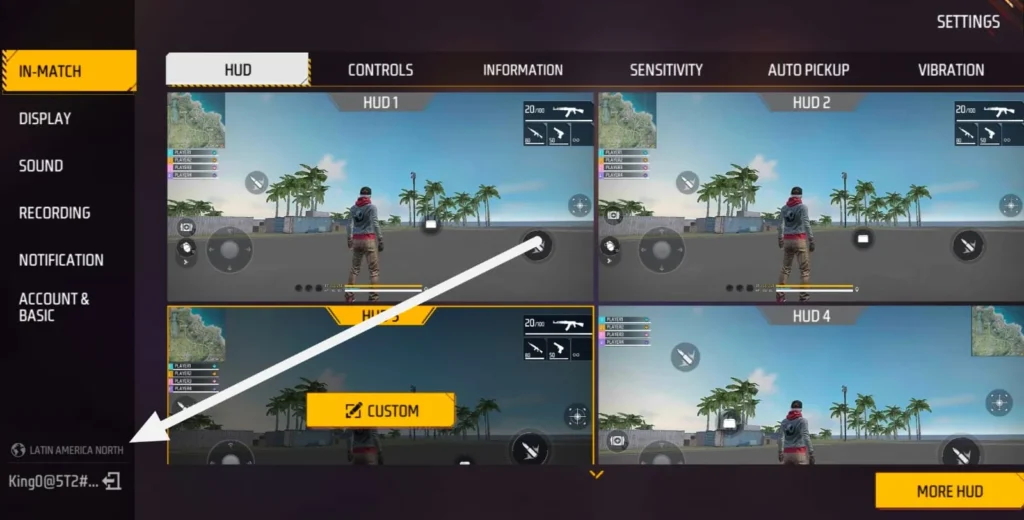
You can simply confirm by going to the Settings option and checking the region in the bottom-left corner.
Step 5: Enjoy the Game
Once you change the Free Fire server, explore new events, side missions, and don’t forget to play in-game matches to experience the new changes on the battlegrounds.
Also Read:
- Free Fire Eclipse Ascension: Unlock Solar & Lunar Bundles
- Free Fire India Launch Date – Big Update for Indian FF Gamers
Why Do Players Want To Change Free Fire Server?
As we know, there are thousands of players enjoying the game in the same regions. In which, some of them saw videos on YouTube and social media platforms of other regions with exciting events, side missions, premium free rewards, and amazing battlegrounds changes. That excites players most and creates a curiosity in their mind to join that server and explore everything at their fingertips.
That is why most Garena Free Fire players change server to explore new events, claim premium free rewards, complete exciting side missions, and enjoy battlegrounds matches with players from other regions. Also, nothing can be more exciting than this for battle royale game players.
Once they change server to their preferred region, then they get feelings like a dream comes true. Also, as a Free Fire player for more than 5 years, I can understand this feeling.
Does VPN Change Free Fire Server?
Yes.
With the help of a good VPN, you can easily change server in Free Fire or Free Fire Max to any other region like Brazil, Vietnam, Indonesia, North America, India, and any others.
But it doesn’t guarantee permanent changes, because if you try to access your new account after changing server without VPN, then it won’t work also. That is why you have to keep connected to VPN to enjoy the benefits of other regions.
What About Free Fire Server Changer APKs?
This is the most common question asked by many Free Fire players in the community. Also, you have seen hundreds of videos related to this on YouTube and social media platforms claiming that using this APKs can change your server to a new region in the game.
However, we don’t recommend using Server Changer APKs from the internet because they can be harmful to your mobile and also Free Fire accounts. They can suspend your account also.
That is why use safest methods like VPN to change server or play in your current region to enjoy the Garena Free Fire battle royale experience.
Will Changing Server Delete Your Old Free Fire UID?
No.
If you’re changing your Free Fire server region after creating a new account using VPN, then it doesn’t mean that your old Free Fire account has been deleted.
It will be available with you permanently. But, however, if you are logging in to a different account to access your old Free Fire UID, then you can face problems.
That is why we have recommended above that you save your old account login data before changing server for future use.
What To Do If Your Old Account Is Missing?
If you cannot see your old account progress, vault collection, weapons, and other items, then don’t simply create a new account. Follow the below step-by-step guide to recover it:
- Log out from the current account.
- Return to the login screen.
- Select your original login method.
- Sign in with the correct account.
- Check your UID.
- Compare it with your saved screenshot UID details.
In most cases, players get back their old Free Fire accounts using the above methods. However, if you didn’t get it back, then contact the Garena support customer services team. They will help you to get back your account easily.
Important Tips Before Changing Free Fire Server
Before changing server in Free Fire game, remember these golden points. This will keep you safe from making any mistakes:
- Link your Free Fire account first.
- Save your UID and profile screenshot.
- Use the same login account as before to use your region UID.
- Avoid unknown server changer APKs.
- Never share your password or OTP.
- Don’t trust anyone promising a guaranteed server transfer.
- Use official Garena support for account issues.
- Remember, a VPN doesn’t permanently change your server.
- Bind your Guest account using Gmail, set a 6-digit password, and keep it safe for future use.
Conclusion
If you are thinking that downloading VPN from the Google Play Store or downloading server changer APKs from the internet will help you to change region, then you are wrong at this point. That is why it is not as simple as players think.
To do this safely, you should have a good VPN like ProtonVPN as we have recommended above in this article. After that, you have to connect to the preferred location and create a new account using fresh Gmail. Using this method, you can safely change server in Free Fire without losing account.
However, we never recommend you to use server changer APKs from the internet because they can harm your smartphones and Free Fire accounts also.
That is why always use safe and recommended methods in Garena Free Fire or Free Fire Max game to improve your experience and enjoy the game.